


We all love the great value of money and performance Mediatek powered phones offer, but we do wish they would offer better GPS! Thankfully we have a fix for that, keep reading to see how to fix poor GPS on Mediatek phones.
Most modern cars have GPS installed as standard (certainly those manufacturered from 2015 and beyond) which is kind of cool as you don't need to rely on mobile data to navigate the roads. If you're thinking of buying a late new or nearly new car get a free CarVeto to make sure there is no outstanding finance, theft alerts or mileage problems.
If you have a Mediatek mobile phone (MT6589, MT6589T etc) and you feel that the GPS is not working well or sometimes it takes a to long to lock on to a satellite, maybe this quick fix can do the trick for you! I have already posted this how-to in Spanish on Gizchina.es but here it is again in English.
I have tested this fix on the JiaYu G4 Advanced that we received last weekend, it worked for me and hope you will have similar success with other MTK powered phones (it is supposed to work with all the Mediatek chipset), I wait your feedback :)
First of all we need to donwload the "Mobileuncle MTK Tools" from Play Store and switch off the GPS. After that, we can start with the how-to:
How to fix poor GPS on Mediatek phones
Open the app and press "Engineer Mode":
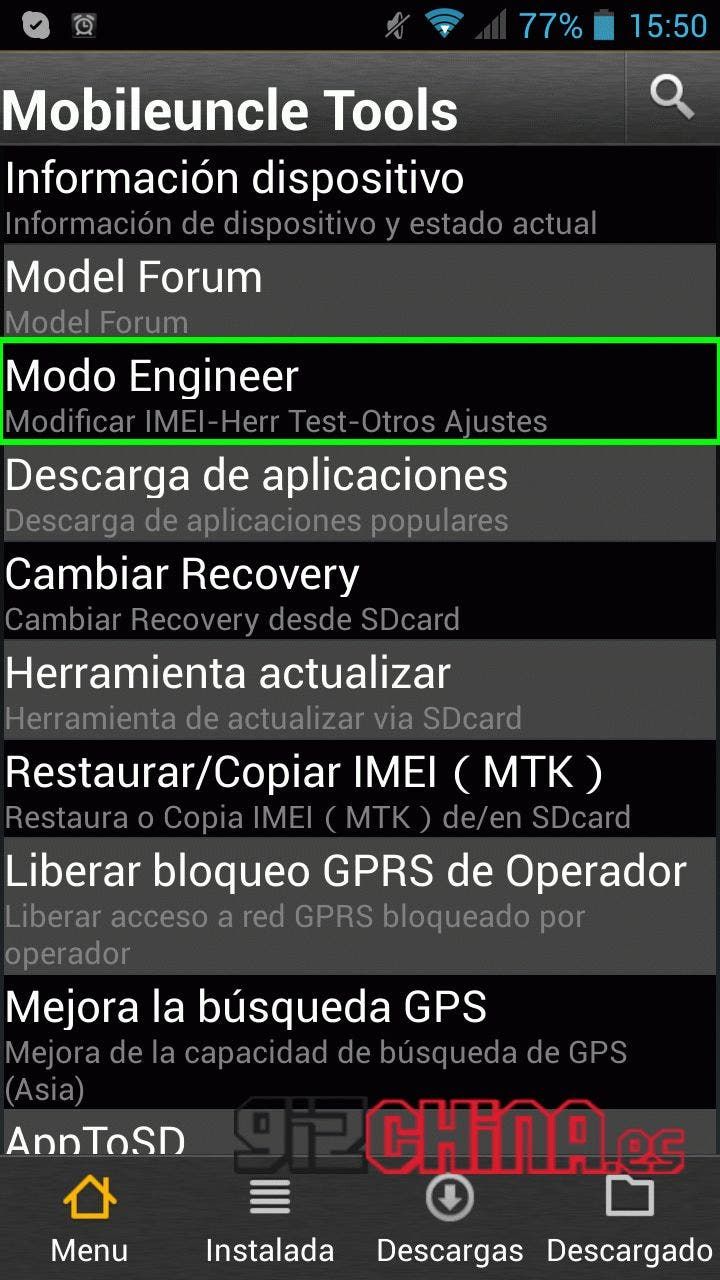
After that press "Engineer Mode (MTK)":

Once you are in the Engineer mode for MTK devices, you should go to "Location" and then to "Location Based Services":

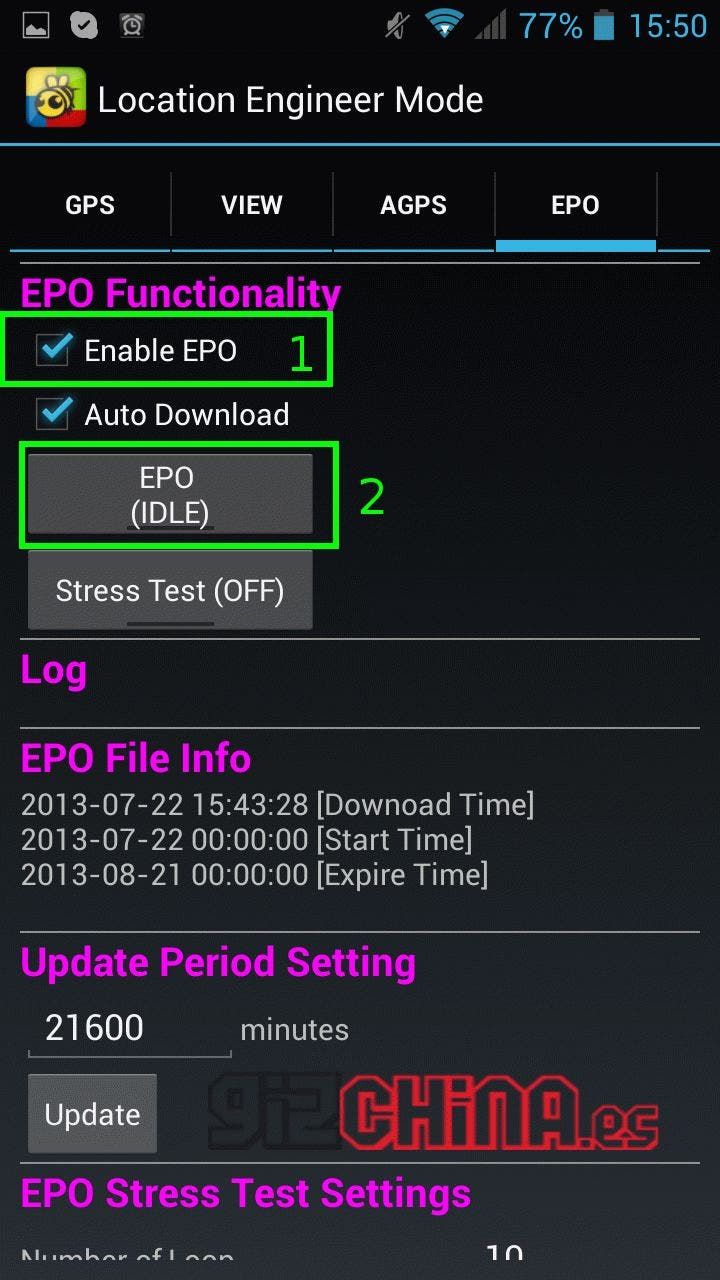
Now, we tap on EPO and check that "Enable EPO" is enabled and then press on "EPO IDLE":
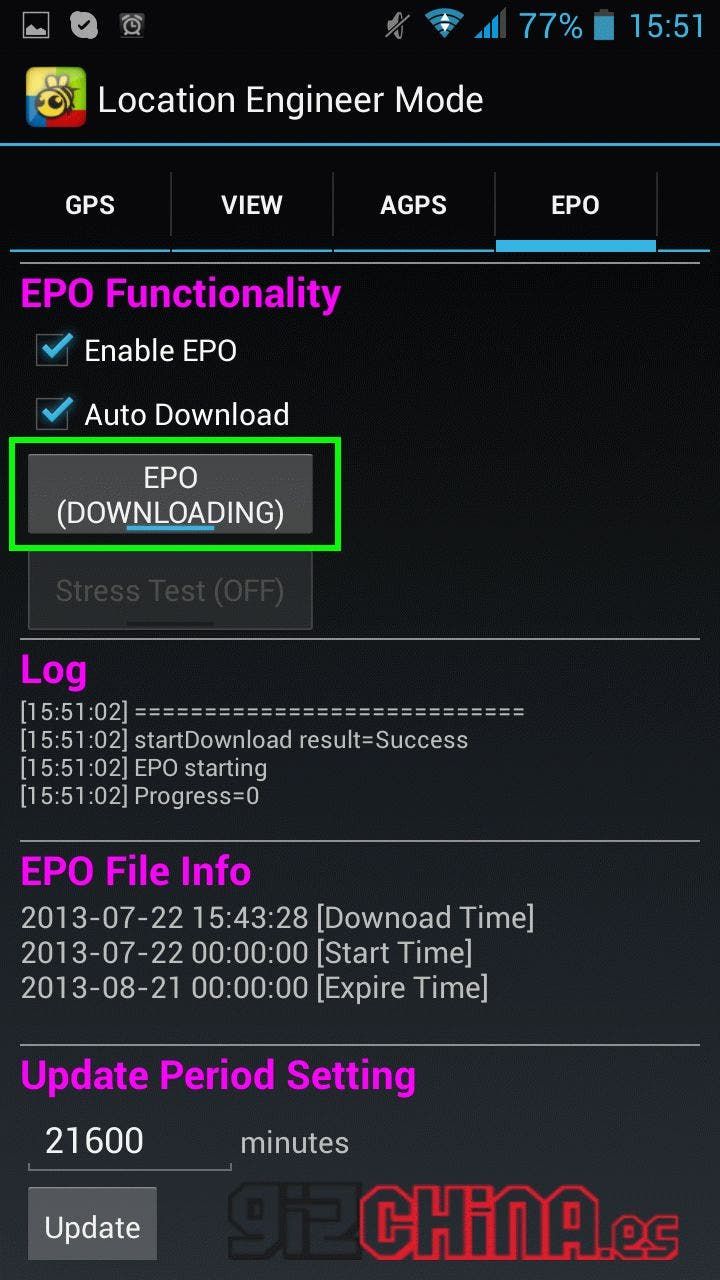
" IDLE" will change to " DOWNLOADING", so you will need to wait few minutes to download a file, I suggest that use it with a Wifi connection. Once back again to " IDLE" we can press back and enter into YGPS:

In the YGPS you will need to press on "Hot", "Full" and "AGPS Restart":
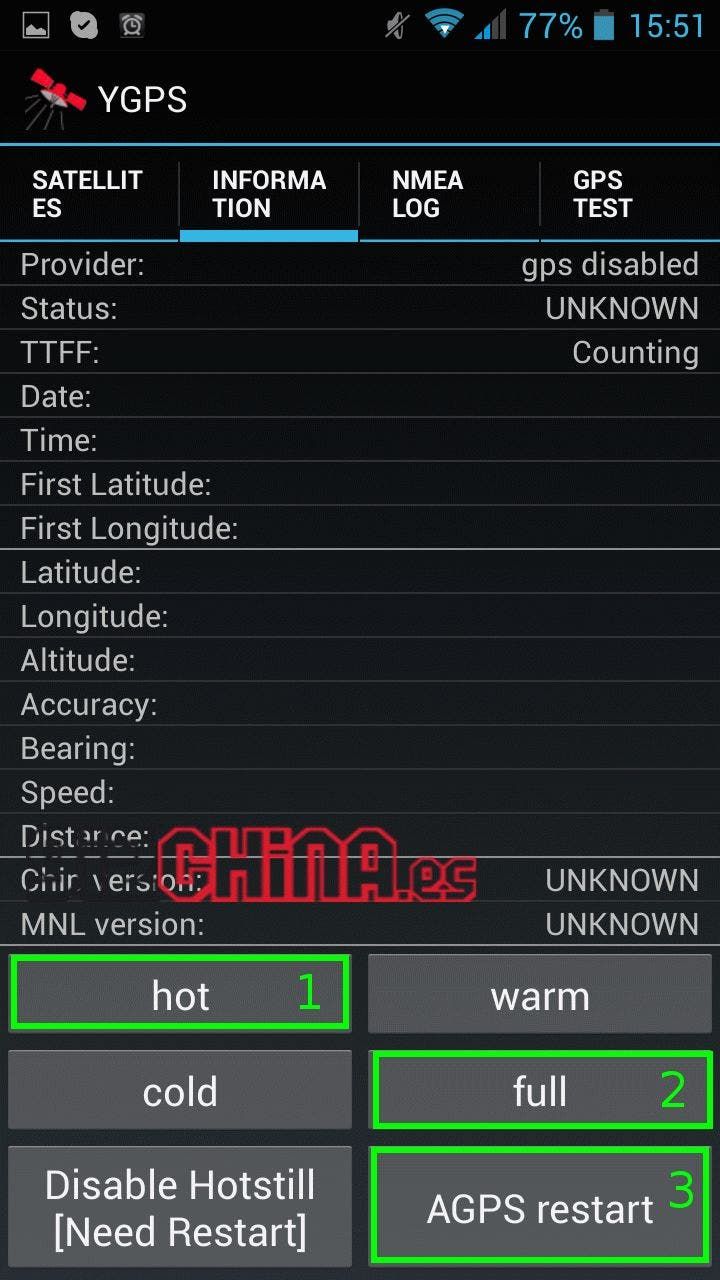
Now that you are done test your GPS and you should find that it is faster and more precise! If you haven any questions or comments let me know in the comments below.
Thanks to Juan Pedro from Powerplanetonline.com for the tip!



Place comments
0 Comments
You are currently seeing only the comments you are notified about, if you want to see all comments from this post, click the button below.
Show all comments