



If you recently updated your smartphone to MIUI 6, you might've realized that you're no longer able to change the default launcher. In earlier versions of MIUI, this was done by going into settings, display and then launcher. MIUI 6, however, lacks any such menu, leaving a lot of users bedazzled.
However with a little playing around we were able to find a way to use any third party launcher like Google Now Launcher, Nova, etc. with MIUI 6. You can also use this guide to change other default apps such as launcher, dialer, etc.
How to change the default launcher on your MIUI 6 phone
- Go to settings, tap on 'Installed apps'
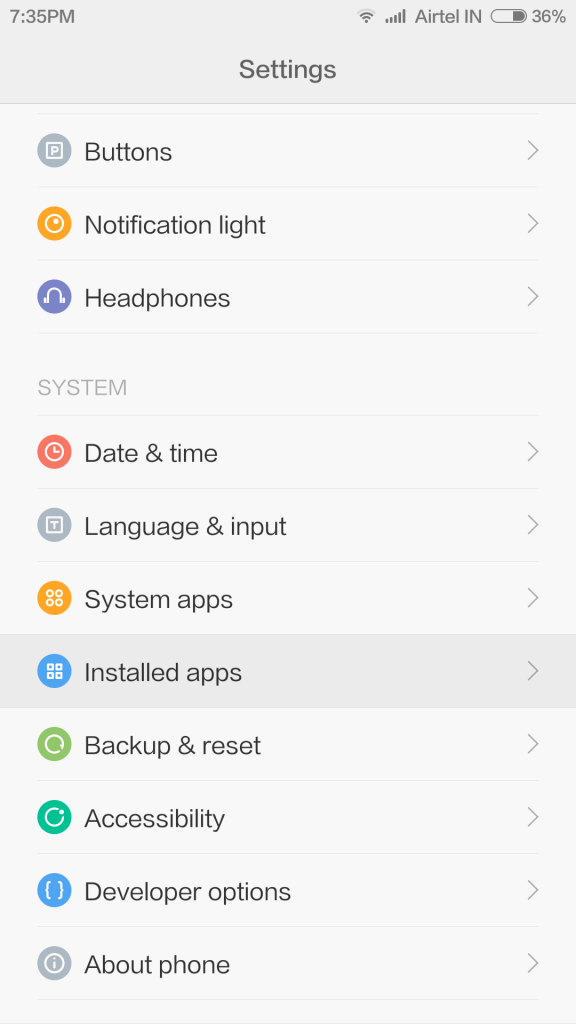
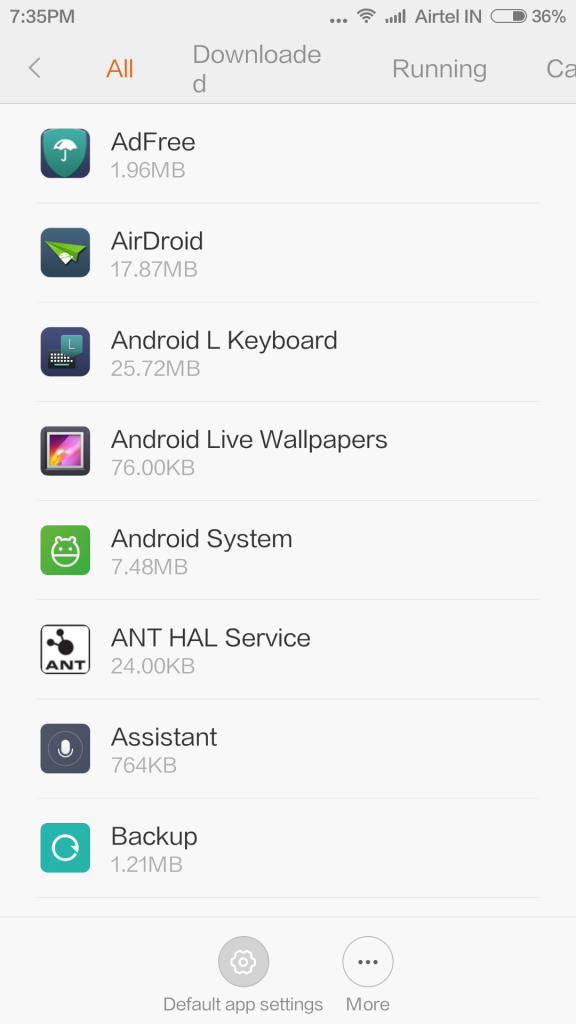
- Tap on 'Default app settings' on the bottom on the page
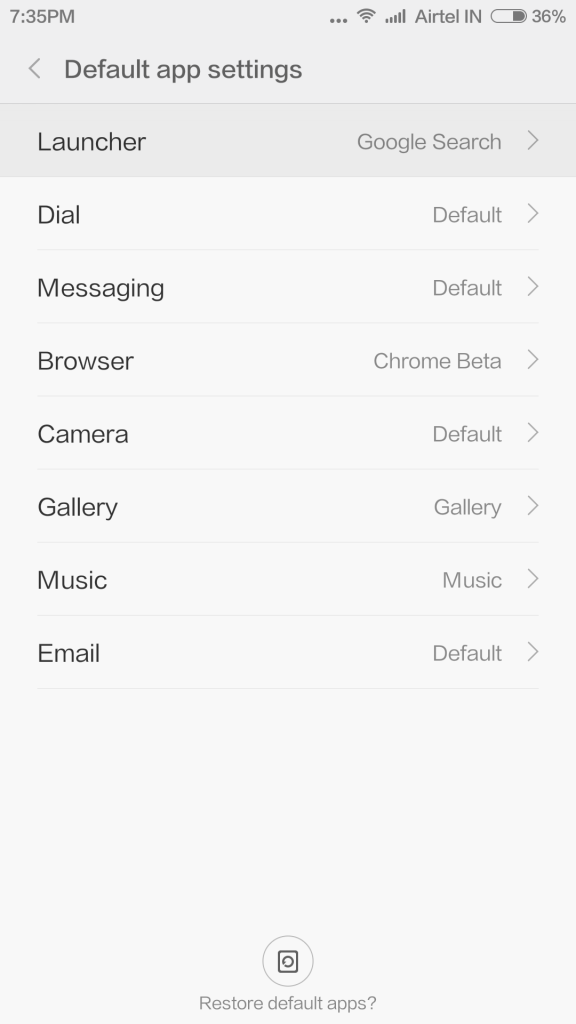
- Select 'Launcher' (or any other setting you wish to change)
- The next list will display all the compatible apps for the selected setting. In our case, we wished to change the launcher to Google Now Launcher
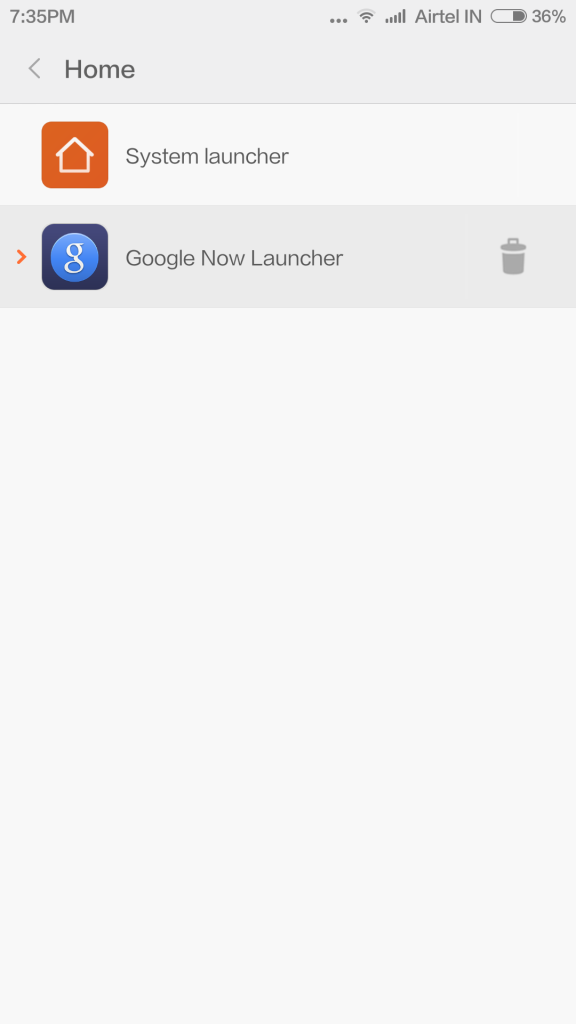
- You're done!
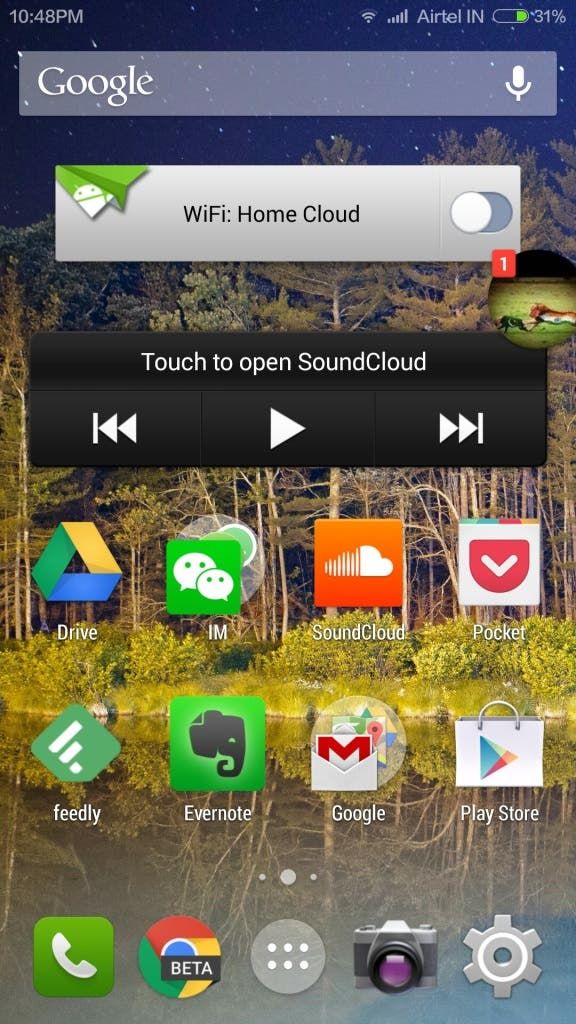
It's as simple as that. MIUI 6 is fast turning into a very usable and flexible ROM, besides being an eye pleaser. If you have any tips/tricks to share, do comment below and let us know!



Place comments
0 Comments
You are currently seeing only the comments you are notified about, if you want to see all comments from this post, click the button below.
Show all comments